Changing Your cPanel Password
Your cPanel password allows you to access cPanel, MySQL, SSH, and your primary FTP account. For security, you should change it when you first set up your website and update it regularly.

Important: Always protect your password. Use a strong, unique password and change it frequently to keep your account secure.

Tip: If you forget your cPanel password, you can reset it via the
One&OnlyHost Hosting Panel at
my.oaohost.com for most hosting accounts.
For some managed VPS and dedicated servers, you may not be able to reset the password from the Hosting Panel. In this case, you can:
Go to your cPanel login page.
Click Reset Password , enter your cPanel username and email address, and follow the prompts.
If you do not see the Reset Password option, open a support ticket so we can enable it for you.
How to Change Your cPanel Password
Log in to cPanel
Open the Password & Security Tool
Jupiter theme: On the Tools page, go to Preferences → Password & Security .

Paper Lantern theme: In the Preferences section, click Password & Security .
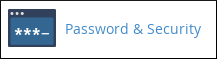
Enter Your Current Password
In the Old Password field, type your existing password.
Set a New Password
In the New Password field, enter your new password.
In the New Password (Again) field, re-enter the password to confirm it.
You can also click Password Generator to create a strong, random password.
Save Your Changes
Click Change your password now!
Your new password takes effect immediately.
Related Articles
Managing FTP Accounts in cPanel
FTP (File Transfer Protocol) allows you to transfer files between your computer and your One&OnlyHost server. Using cPanel, you can create FTP accounts so that specific users can upload, download, or manage files within a set directory on your ...
Using the cPanel Home Screen
The cPanel home screen is your main control center for managing your One&OnlyHost hosting account. From here, you can view important account details, monitor resource usage, and access all the tools you need to manage your website. Viewing Account ...
Logging In and Out of cPanel
This guide shows you how to log in and out of cPanel so you can manage your One&OnlyHost account with ease. Logging in to cPanel You can log in to cPanel in two ways: Through the One&OnlyHost Hosting Panel – The easiest method, with no need to ...
Using the User Manager in cPanel
The User Manager in cPanel allows you to create, edit, and delete subaccounts for services such as: Email FTP Web Disk Important: Subaccounts can only access these services. They cannot log in to or access the main cPanel account. Adding a Subaccount ...
Managing E-mail Accounts in cPanel
Learn how to manage e-mail accounts in cPanel with this guide to creating, modifying, and deleting accounts. You can also access these accounts via webmail or an e-mail client such as Thunderbird or Microsoft Outlook. This article explains how to ...