Using the cPanel Home Screen
The cPanel home screen is your main control center for managing your One&OnlyHost hosting account. From here, you can view important account details, monitor resource usage, and access all the tools you need to manage your website.
Viewing Account Status Information
Log in to cPanel
 If you're unsure how to log in, see our guide: Logging in and out of cPanel .
In the right-hand column , under General Information , you'll see:
Your cPanel username
Primary domain name
Account IP address
Server name
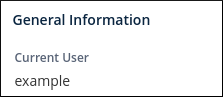
To view more details, click Server Information . This page includes:
cPanel version number
Software versions (eg, PHP, MySQL)
Server IP and configuration details

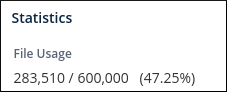
Under Statistics , you can monitor:
CPU usage
Memory usage
Bandwidth usage
Disk space
Accessing cPanel Features
You can access features in two ways:
Browse the Sections
Scroll through the home screen and click on the feature you want.
Example: To change your password, go to Preferences → Password & Security .Use the Search Bar
Start typing the name of the feature in the Search Tools box at the top.
Example: Typing “pass” will show Password & Security at the top of the list.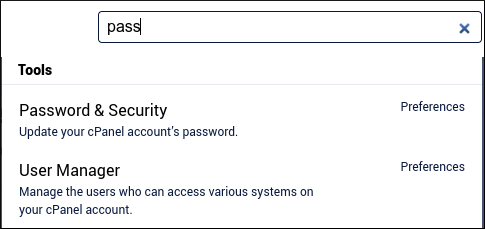
cPanel Theme
This guide is based on the Jupiter theme, the current default for cPanel. If you're using the older Paper Lantern interface, the layout is similar, but the appearance may vary slightly.
More Information
For detailed cPanel documentation, visit the official resource: https://docs.cpanel.net